
This guide is for owners of small businesses and in-house marketers who run Google Ads Search campaigns and keep seeing “AI Max” in their account. Google announced two updates to AI Max for Search on September 23, 2026. Below you will find what changed, what AI Max actually does, how to decide whether to switch it on, and which settings keep you in charge of your budget.
Contents
What Google announced on September 23, 2026
According to Google’s announcement on its Ads and Commerce blog, there are two changes:
- AI Brief is expanding in its closed beta. AI Brief lets you give AI Max direction by writing about your business, your audience and your key messaging in your own words. The beta is expanding to seven more languages: Dutch, French, German, Italian, Japanese, Portuguese and Spanish. Because it is a closed beta, not every advertiser will see it.
- A new reporting view is coming. Google describes it as a single, unified view of the Search ads journey: the search term that triggered an ad, the creative assets the person saw, and the exact page on your site where they landed.
One important caveat: the blog post gives no release date for the reporting view. Google says only that it will share more details and availability later this year. Do not expect to find it in your account today, and treat any specific date you read elsewhere as unconfirmed unless Google publishes it. The same goes for any claim about when older campaign types will be switched over to AI Max automatically. Google’s AI Max announcement and Help pages give no timeline for that, so check your own account notices and Google’s announcements rather than relying on secondhand reports.
What AI Max for Search is
Google’s Help Center describes AI Max as a suite of targeting and creative enhancements for Search campaigns, not a separate campaign type. Its FAQ says it builds on Dynamic Search Ads and Performance Max with Final URL expansion, while keeping the controls of Search campaigns. It has two main parts, and turning it on enables both by default:
Enjoying this? Get our best tips by email
Practical SEO, link building and content strategies, straight to your inbox.
- Search term matching: uses broad match, asset-based and landing page-based technology to find searches beyond your keyword list, including “keywordless” matches.
- Asset optimization: made up of Text customization (generative AI writes ad copy from your existing ads, landing pages and assets) and Final URL expansion (sends people to the page on your site that Google judges most relevant). Final URL expansion requires Text customization.
Google’s own performance claim is that advertisers who activate AI Max in Search campaigns “will typically see” 14% more conversions or conversion value at a similar CPA or ROAS. The Help page attributes this to Google’s internal 2025 data for non-retail advertisers. Treat it as the vendor’s average, not a forecast for your account.
Should a small advertiser turn it on?
Google’s documentation recommends conversion-based Smart Bidding with AI Max, and the FAQ says manual CPC limits it: Search term matching will not work with manual CPC. That gives a practical first test.
| Your situation | Reasonable approach |
|---|---|
| Conversion tracking works and you use Smart Bidding | A good candidate for a controlled test |
| You bid with manual CPC | AI Max will be limited; fix bidding and tracking first |
| Few conversions, or tracking is unreliable | Hold off; the AI has little signal to learn from |
| Strict budget and narrow offer | Test with tight brand and URL controls, or leave it off |
Whatever you decide, test rather than flip a switch. The FAQ explains that if you are eligible, a recommendation on the Recommendations page lets you select “Create 1-click experiment automatically”, which sets up a 50/50 test against your base Search campaign. You can also manage Search term matching and Asset optimization per ad group in the treatment arm of the Experiments tab. Bidding changes also trigger a settling period, so read our guide to the Smart Bidding learning period before judging early numbers.
How to turn AI Max on, and off
Existing campaign
- In the Campaigns menu, open Settings.
- Select the Search campaign you want to change.
- Choose AI Max in the section menu and toggle it on.
- Pick the features you want, then save.
New Search campaigns have AI Max selected by default, with the options under Keywords and ads, so check that section when you create a campaign. To turn AI Max off, toggle off all its settings. Google notes this disables every AI Max feature, including brand exclusions, and turning it back on restores your previous settings. Turning off Text customization also stops those generated assets from serving.
Keeping control once it is on
Brand controls
At campaign level, open Campaign settings, select AI Max, scroll to Brands and add brand lists as inclusions or exclusions. Ad groups can have brand inclusions only, and these override the campaign inclusions for that ad group. Exclusions are useful if you do not want to appear for competitor or reseller brand searches.
URL controls
Final URL expansion can send traffic to pages you never meant to advertise, such as a careers page or an out-of-stock product. To block them, open Settings, select the campaign, expand AI Max, and under Final URL expansion choose Add URL exclusions. Add exact URLs on the URLs tab or custom rules on the Rules tab. Two details from Google’s documentation trip people up:
- “URL Contains” rules match whole tokens, not partial text. A rule for “auto” will not block a URL containing “automation”.
- URLs split into tokens at hyphens, periods and slashes, and plurals do not match, so a rule for “FAQ” blocks “/FAQ/page” but not “/faqs”.
At ad group level you can add URL inclusions to capture pages that Final URL expansion misses. Note that pinned responsive search ad assets are not guaranteed to be respected when Final URL expansion is on or URL inclusions are provided, so do not rely on pinning for legally required wording.
Search terms and negative keywords
Google’s FAQ states that negative keywords are respected when AI Max is on, although the page gives no configuration steps. Your normal negative keyword lists therefore remain your main brake on irrelevant traffic. AI Max also changes what you see in reports:
- The search terms report adds “AI Max” as a match type value for incremental search terms, plus a source column showing whether a match came from broad match expansion or keywordless matching. It also has a combined view of search term, headlines and URLs.
- The keywords report gets summary rows labeled “AI Max”.
- The landing pages report has a “Selected by” column, and the asset report shows how AI Max-optimized assets perform.
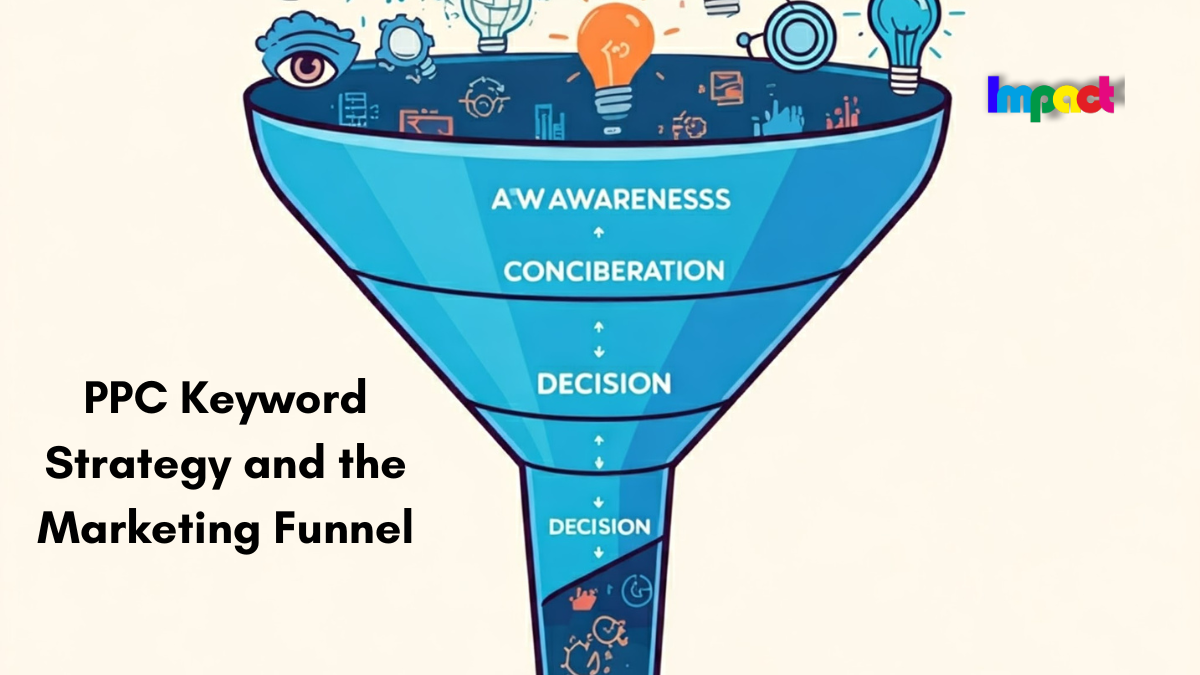
The new unified view announced in September is meant to bring the search term, assets and landing page together in one place, but because no availability is confirmed, build your routine around the reports above. Our walkthrough on using the Google Ads search terms report covers how to review terms and add negatives. If you also plan keyword structure, see PPC keyword strategy and the marketing funnel.
Common mistakes
- Enabling AI Max on a campaign with weak or missing conversion tracking, then judging it on clicks alone.
- Skipping the experiment and comparing against last month instead of a parallel control.
- Never reviewing the AI Max search terms, so irrelevant queries keep spending.
- Forgetting URL exclusions, so Final URL expansion lands people on low-value pages.
- Expecting to edit the generated assets. Google’s FAQ says assets are fully automated, and you cannot create or customize them.
Key takeaways
- On September 23, 2026 Google announced AI Brief’s closed beta expanding to seven more languages and a new reporting view that combines search terms, assets seen and landing pages.
- The blog gives no rollout date for the reporting view, only “later this year” for more details.
- AI Max is a feature suite on Search campaigns, not a new campaign type, and works best with conversion-based Smart Bidding.
- Test it with an experiment, set brand and URL controls, keep negative keywords, and review search terms regularly.
FAQ
Is AI Max the same as Performance Max?
No. AI Max is a set of features inside Search campaigns. Google’s FAQ says that if a query can match both, the candidate with the highest Ad Rank serves.
Do negative keywords still work with AI Max?
Yes. Google’s FAQ states negative keywords are respected when AI Max is on.
When will the unified reporting view be available?
Unknown. The announcement gives no date and says Google will share details and availability later this year.
Can I turn AI Max off after trying it?
Yes. Toggle off all AI Max settings in the campaign’s AI Max section. Re-enabling later restores your previous settings.
Sources
- Google Ads and Commerce blog: AI Max language and reporting features
- Google Ads Help: Optimize Google Ads with AI Max for Search campaigns
- Google Ads Help: How AI Max for Search campaigns works
- Google Ads Help: Set up AI Max for Search campaigns
- Google Ads Help: Frequently asked questions about AI Max for Search campaigns
- Google Ads Help: About URL exclusions in AI Max for Search campaigns